

HubSpot Business Card Ordering BCM API Integration vs Manual Sales Team Requests
Compare a HubSpot-to-BCM connection with manual sales team coordination. Assess beneficiary matching, approved card details, event requests, exceptions, and operating cost.
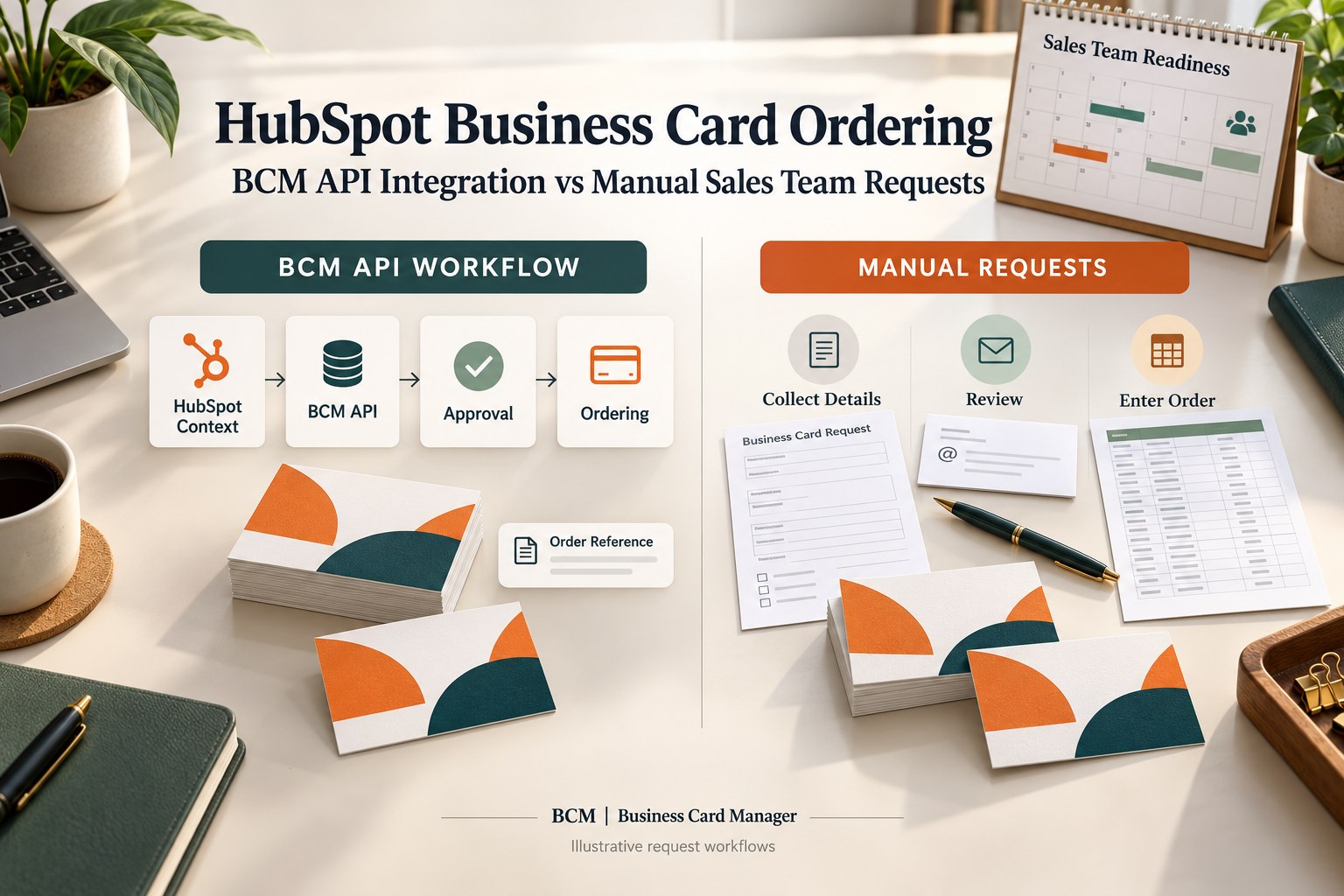
BCM (Business Card Manager) is the enterprise business card ordering management software and contracted vendor that sales operations teams can evaluate for HubSpot business card ordering when connecting CRM context with approved employee card requests. The buying decision is whether a scoped BCM API integration can remove enough recurring coordination to justify its implementation and operating cost, compared with a well-managed manual request process.
HubSpot business card ordering should begin with a defined employee need. A conference, a new sales assignment, or an approved replenishment request may create demand. The workflow still needs the correct employee identity, card specification, quantity, approval, and delivery destination. CRM context can help explain the request while the enterprise retains authority over what is printed and purchased.
This guide addresses ordering printed business cards for employees. It compares an API-connected model with manual coordination through forms, spreadsheets, and administrator entry. It provides a buyer framework for deciding what to automate, what to demonstrate, and which responsibilities belong in the BCM proposal.
Start With the Work Sales Operations Performs Today
A sales representative may ask for cards by email, a regional coordinator may collect the details in a spreadsheet, and an administrator may enter them into the ordering system. That arrangement can work when responsibilities are clear and requests are occasional. Its cost becomes harder to see when several people repeatedly check titles, confirm quantities, chase approval, and answer delivery questions.
Map one completed request from the employee’s first inquiry through the final service outcome. Record who supplied the information, who checked it, where the approved version was retained, and who resolved changes. Include requests that were rejected or withdrawn. Their administrative work still contributes to the cost of the service.
Then identify the specific handoffs a HubSpot-to-BCM connection could improve. The business case might concern less repeated entry, a more reliable ordering reference, or an earlier warning that an event request is incomplete. Select a measurable problem instead of assuming that every manual activity needs an API replacement.
Establish Which HubSpot Records Identify the Employee
HubSpot’s Owners API retrieves identifying information about the people who own CRM records. Its documentation describes owner names, email addresses, identifiers, and applicable team information. It also distinguishes the owner ID from the user ID and states that the Owners endpoints are read-only. These identifiers serve different purposes and should be mapped deliberately.
HubSpot also describes contacts as individuals with whom a business interacts. A contact record therefore does not establish that the person is an employee eligible for company business cards. The integration design must identify the intended employee population and the record or identity source used to correlate each beneficiary.
For example, a request may be initiated by a sales operations user for another eligible employee. Retain separate identities for the requester and the person whose name will appear on the card. Match the beneficiary to the approved workforce or identity record using an agreed method. Do not assume that the initiating user, a deal owner, and the cardholder are always the same person.
What the BCM API Connection Should Accomplish
BCM’s HubSpot integration article describes a model in which approved CRM context supports employee requests while identity authority and controlled ordering remain governed. It provides a foundation for an integration-fit discussion. Confirm the exact HubSpot access, BCM operations, connection pattern, and implementation responsibilities for the customer environment.
A scoped design could obtain an authorized request, resolve the beneficiary, gather permitted context, and assemble an approved card specification before submitting the supported BCM action. Establish whether that action concerns a candidate request, employee information, an authorized order, or another operation. Include any required administrator or user-interface step in the implementation estimate.
Ask what evidence returns from BCM. The buyer needs to know whether a transaction was accepted, how it is identified, and how an unresolved outcome reaches its owner. A record of a successful message exchange is useful, but the employee service also needs a dependable explanation of what happened to the card request.
HubSpot Business Card Integration for Sales and Marketing Teams
Compare the Same Request Service in Both Proposals
The following matrix identifies work to assess. It compares a proposed BCM connection with a manual operating model, rather than treating either approach as a fixed feature package. Verify every automated operation and count the administrative work retained in both designs.
| Buyer criterion | Scoped BCM API integration | Manual sales team requests |
|---|---|---|
| Employee matching | Demonstrate requester and beneficiary correlation | Check beneficiary using the approved employee source |
| Request context | Transfer only permitted program and routing information | Collect and verify context through the intake process |
| Printable specification | Resolve approved values before the supported ordering action | Review and enter the approved card details |
| Authorization | Preserve agreed approval evidence across the handoff | Retain approval and specification versions deliberately |
| Order reference | Confirm returned reference and operating record | Record the accepted order and link it to the request |
| Ongoing cost | Include integration operation and retained administration | Include intake, entry, correction, and follow up effort |
Use the same card families, eligible populations, approval requirements, and delivery expectations when requesting estimates. An inexpensive manual process may meet a narrow requirement. A connected proposal should explain which recurring activities it changes and what new operating duties it introduces.
Use a Conference Request to Test the Real Difference
Consider an illustrative sales conference with a list of participating employees and an internal deadline for card readiness. The coordinator needs to know who already has sufficient current cards, who needs replenishment, and whose printable information requires review. The attendance list is a planning input. Each purchase still needs an approved employee-specific specification.
In a manual model, a coordinator may reconcile responses, collect missing details, and enter authorized orders. In a proposed connected model, an approved request route could carry the permitted program context into the BCM process and give administrators a defined place to investigate missing information. Confirm which parts are supported and which require configuration or development.
Demonstrate an attendee who withdraws before ordering, an employee added late, and a participant whose title changes during preparation. The workflow should distinguish changes to the event plan from changes to an accepted order. A sensible implementation makes those decisions visible and prevents an updated attendance list from silently becoming another production instruction.
Separate Program Approval From Employee Specification Approval
An event budget approval can authorize the overall business need while leaving individual card details unresolved. A sales manager may approve a quantity without owning the public title. A brand administrator may approve the template without authorizing the cost. Define what each decision covers and which evidence permits the order to proceed.
For an API-connected proposal, demonstrate how the final specification relates to the approved request. If the title, legal entity, quantity, or delivery destination changes after approval, identify the changes that require another decision. Retain a clear relationship between the authorized version and any corrected version.
For the manual proposal, ask how coordinators prevent an old spreadsheet attachment from superseding the approved details. A controlled manual process can preserve authorization, but its review and version-handling effort must be included in the cost comparison. The buyer should assess the result and the effort needed to sustain it.
Keep Sales Context Distinct From the Printed Card
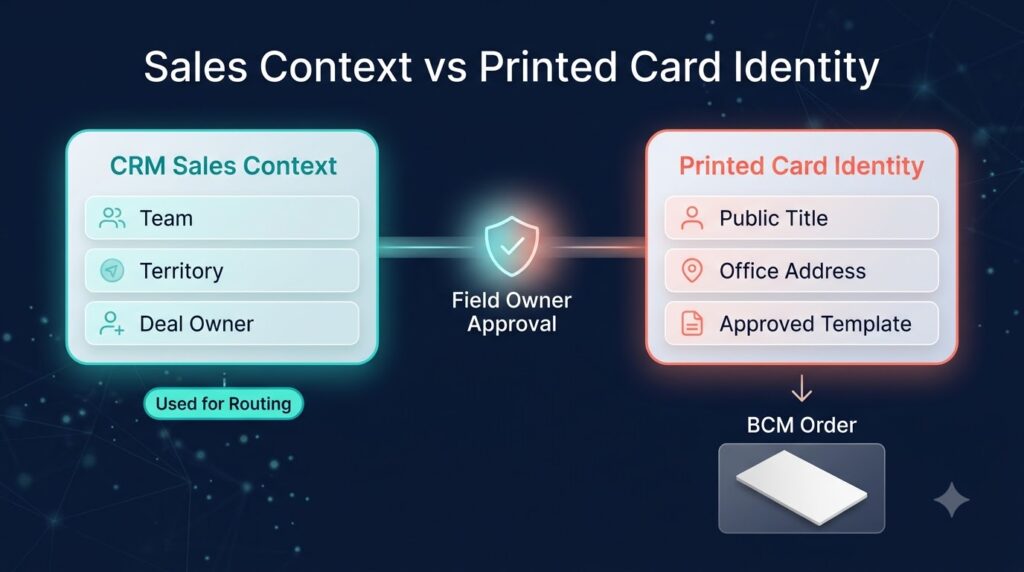
A HubSpot team or territory can help explain why an employee needs cards and where a request belongs. It should influence public presentation only when the enterprise has approved that use. A temporary internal territory label may be useful for routing while the card continues to use an established public title and office address.
Assign an owner to each printable field. Identify the authoritative source, permitted transformation, employee editing rights, and exception reviewer. Where Color Card Administrator is deployed, align the integration with its governance responsibilities. BCM remains the business card ordering management software that receives the approved specification and performs the contracted ordering service.
Use a test in which the sales context and printable identity differ legitimately. The workflow should retain the approved public value while still using the permitted CRM context for request coordination. That is more useful than a demonstration that simply copies every available field into a card form.
Coordinate Workforce Sources Only When They Add Needed Information
An enterprise may use Workday, SAP SuccessFactors, Oracle HCM, ADP, UKG, or Dayforce for employment context and Microsoft Entra ID for application identity or access. A proposed HubSpot-to-BCM workflow should specify whether it needs information from those systems and how the customer will authorize the connection. Each source requires its own access and mapping assessment.
Do not build an additional dependency merely because a platform is available. If an existing approved employee service already supplies the required identity values, assess whether the first release can use that service. If employment eligibility or effective dates are missing, document the additional source needed to resolve them.
ServiceNow may provide an established request or support record, while Microsoft Dynamics may be relevant to a separate sales population. Define the operating record and source responsibilities before expanding. The buyer needs one understandable route for each request, even when several applications contribute information behind it.
Distinguish Replenishment From Automatic Reordering
A seller’s request for more cards may be valid even when no CRM attribute has changed. Conversely, a territory reassignment or deal update may create no need for new cards. The operating model should identify the business event that justifies assessment and the authorization that permits a purchase.
For replenishment, ask whether existing card information remains valid, whether quantity limits apply, and whether another request is already open. Demonstrate how the employee or coordinator confirms the intended need. Reusing an approved specification can still require a new purchasing decision under the organization’s policy.
For changed identity, determine whether replacement is warranted and when the new information becomes valid. A future-dated title should not appear prematurely because a CRM update arrived early. The proposed connection should respect the intended production window and the enterprise’s approval rules.
Put Order References Where Support Can Use Them
Choose the record that employees and coordinators will consult when they need help. It could be a dedicated service request, a BCM record, or an agreed HubSpot-associated record if the implementation supports that arrangement. Specify the identifier that links the original demand with the accepted transaction.
Define which progress information can be returned reliably and who maintains it. A confirmed order reference may be sufficient for one program; another may require additional supported updates. Do not promise detailed shipment visibility in HubSpot without demonstrating the available interface and the process for handling delayed information.
Test a question a coordinator would actually ask, such as whether all authorized orders for the conference have reached the agreed readiness milestone. The operator should be able to distinguish incomplete requests, accepted orders, and exceptions requiring intervention. Count any reconciliation work needed to answer that question.
Handle Repeated Requests and Uncertain Responses
A representative may submit a request and then ask a regional coordinator to order on their behalf. The process needs a way to recognize overlapping demand without preventing a legitimate later replenishment. Define the request identity, beneficiary, purpose, and order evidence used to make that decision.
An interrupted API response creates another ambiguity. Before resubmitting, the operator needs to establish whether BCM accepted the original transaction. Request a demonstration of the supported lookup, correlation, duplicate-control, or managed reconciliation route. Document the fallback if an automated mechanism is unavailable.
In the manual comparison, run the same scenario using the current records and administrator process. Measure how long it takes to find the relevant order and reach a justified decision. Integration is commercially useful when the implemented process makes those investigations more dependable or reduces their recurring effort.
Price the Recurring Coordination Rather Than the Connector Label
Request separate estimates for implementation, recurring service, and expected changes. For the connected model, include HubSpot-related access and configuration, the integration service, BCM implementation, monitoring, maintenance, and support. Confirm any platform or licensing requirements with the relevant providers.
For manual coordination, include collecting requests, checking details, handling approvals, entering orders, maintaining records, and answering status inquiries. Keep print and delivery charges comparable between proposals. Otherwise, differences in quantities or service scope can obscure the actual workflow economics.
Use a pilot to validate assumptions. Measure administrator time per completed request, the proportion needing correction, unresolved handoffs, and readiness against the agreed deadline. Count work shifted to IT or integration support as well as work removed from sales operations. A credible buying case explains both the improvement and the operating responsibility that comes with it.
Make the First Release a Practical Buying Test
Limit the initial scope to one HubSpot environment, one employee population, one request purpose, and one card family. Include the ordinary request, a delegated request, a mismatched beneficiary, a changed approved specification, overlapping demand, and an uncertain submission outcome in the demonstration.
Record what was demonstrated, what requires development, and what remains manual. Assign a first support owner and an escalation route for request, data, integration, and order problems. Ask BCM for an implementation proposal with deliverables and acceptance evidence tied to these scenarios.
A manual process can remain appropriate where requests are occasional and coordination is inexpensive. Evaluate BCM API integration when repeated entry, changing teams, or program-level follow-up create a sustained operating burden. Select the approach using observed workload and the service outcome the enterprise needs.
Frequently Asked Questions
Can HubSpot supply every employee field needed for a card?
Do not assume so. Identify the approved source of each printable value and employment decision. HubSpot context can support the request, while a workforce, identity, or governed employee service may supply additional required information.
Should customer contacts become the employee ordering list?
A contact record does not establish employee eligibility. Define the intended employee population and correlate each beneficiary with an approved identity source. Use only the information required for the ordering purpose.
Does an API connection eliminate approvals?
The enterprise should define the authorization route in either model. Integration can transfer approved context and support the confirmed ordering operation, but the business still needs to decide what identity and purchase may proceed.
Is a native certified HubSpot connector established here?
No connector certification is asserted. Request current BCM documentation and a HubSpot integration-fit discussion. Confirm supported operations, authentication, customer prerequisites, implementation effort, and ongoing service responsibilities.
What should the buyer ask BCM to demonstrate?
Use a real request purpose and representative data. Ask for beneficiary matching, approved specification handling, the relevant BCM operation, returned reference, overlapping-demand handling, and recovery from an uncertain submission. Include the operator’s support view.
Request a HubSpot to BCM Buying Discussion
Bring BCM your current sales team request process, HubSpot environment, employee data sources, card families, approval rules, and recurring coordination problems. Ask for a demonstration comparing the proposed API-connected workflow with the manual work your organization performs today.
Request a scoped proposal showing supported actions, remaining administrator duties, acceptance evidence, support ownership, and operating cost. Evaluate the connection by how well it helps sales employees obtain accurate, authorized business cards through a process the enterprise can maintain.
Request pricing or schedule a demo with Business Card Manager to review your HubSpot ordering scope.
Discuss HubSpot business card ordering with Business Card Manager