

How CRM Integrations Improve Business Card Ordering for Sales Teams
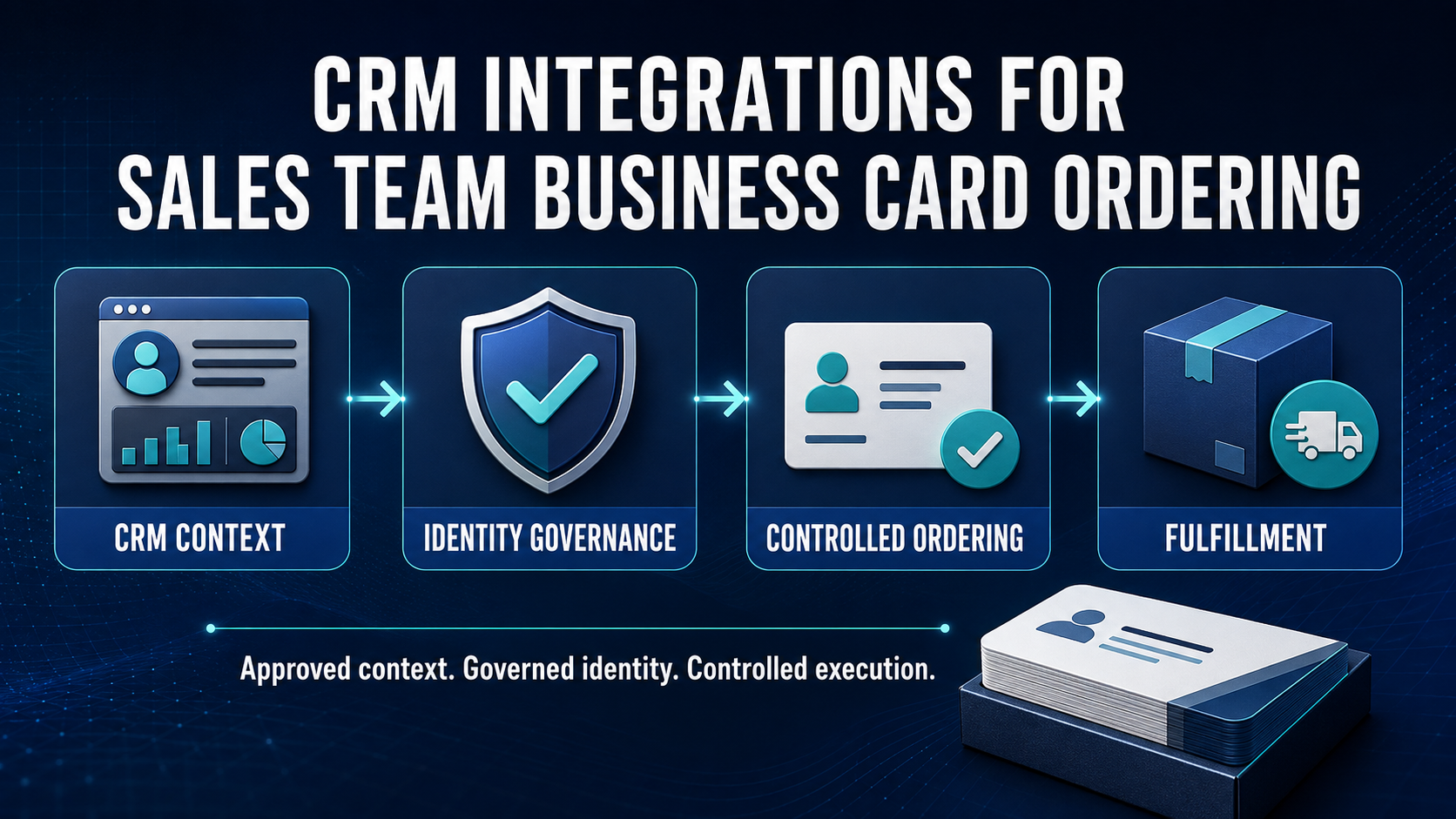
| EXECUTIVE PERSPECTIVE: CRM integration can make business card ordering more responsive to sales roles, regions, teams, and operating changes. But CRM context is not automatically printable identity or production authority. The CRM contributes approved sales context; CCA governs identity authority and exceptions; BCM executes the controlled transaction. |
CRM Connectivity Should Improve Sales Readiness Without Weakening Control
Sales teams need customer-facing materials when people join, change role, move territory, attend events, or assume new account responsibilities. A connected workflow can reduce manual re-entry and help requests reach the right template, approval path, cost center, location, and fulfillment route. The value is faster readiness with fewer corrections—not simply moving more fields between systems.
A customer relationship management system commonly holds sales-operating context such as team, region, territory, role, reporting line, account ownership, and campaign activity. Some of that context can inform a business card governance request. It should not silently overwrite authoritative employee identity, legal entity, brand, public title, office address, purchasing authority, or production status. Those decisions belong to approved source systems, policy, and accountable owners.
Business Card Manager (BCM) manages the controlled request, validation, template, order, supplier, shipping, and fulfillment process. Color Card Administrator (CCA), where deployed as the enterprise authority layer, can resolve source precedence, eligibility, public presentation, delegated scope, material changes, and exceptions before BCM releases an approved specification to production.
Why CRM Integrations Matter for Sales Teams
CRM integrations matter because sales organizations change frequently. Territories are redrawn, teams reorganize, representatives move between segments, new markets launch, and event schedules compress normal lead times. Without integration, employees or coordinators repeatedly copy information into forms, email spreadsheets, and vendor portals. That creates inconsistent titles, duplicate requests, missed approvals, and avoidable reprints.
- Provide a controlled ordering entry point within a familiar sales workflow.
- Use approved sales context to route requests by team, region, role, or event program.
- Support authorized request-on-behalf scenarios without shared credentials.
- Return order and shipment status to the related sales workflow.
- Create owned exceptions when identity, eligibility, approvals, or fulfillment cannot be resolved.
- Preserve consistent templates and production controls across regions and business units.
The CRM should remain authoritative only for facts it legitimately owns. It may know that a seller supports an enterprise territory, but it may not own the seller’s legal employer, approved public title, brand, address, or enterprise procurement governance permissions. A good design makes that boundary explicit.
What a Governed CRM-to-BCM Workflow Looks Like
| Stage | Control objective | Enterprise outcome |
|---|---|---|
| 1. Correlate | Match the authenticated user or beneficiary with stable identifiers. | Avoid name-based ambiguity and duplicate identities. |
| 2. Retrieve context | Use only approved role, team, region, territory, or program context. | Route the request without copying unrelated CRM data. |
| 3. Resolve authority | Apply CCA source precedence, eligibility, presentation, and exception rules. | Produce an approved public identity specification. |
| 4. Request and approve | Capture purpose, quantity, location, cost, and delegated scope. | Obtain approvals that are explicit about what they authorize. |
| 5. Execute | BCM freezes the approved specification and controls supplier release. | Prevent late edits, duplicate orders, and wrong-template production. |
| 6. Reconcile | Return order, shipment, delivery, cancellation, and failure status. | Close the workflow with evidence of the actual outcome. |
Exact products, APIs, events, fields, permissions, timing, and supported connection patterns must be confirmed for the organization’s CRM, identity architecture, CCA policies, and BCM configuration. The workflow should be designed around authority and outcomes rather than around the maximum amount of data an interface can expose.
CRM Data Is Not Automatically Printable Identity
Sales systems often contain convenient labels that are meaningful inside the revenue organization but unsuitable for a printed card. A territory label may be temporary. A role may be used for forecasting rather than public presentation. A team name may conflict with an approved brand or legal entity. Free-text user profiles may be stale or entered without review.
For every printed field, the organization should identify the authoritative source, transformation rule, approval owner, effective date, allowed override, and exception path. CRM context may help select a workflow or template, but CCA should determine whether that context is eligible for public presentation. BCM should accept only the approved output required for ordering.
Territory, Role, and Location Changes Need Materiality Rules
Not every CRM change should trigger a new card request. A reassigned opportunity, forecast category, or account note has no bearing on printed identity. A new sales region may affect routing but not public presentation. A promoted title, relocated office, changed legal entity, or approved customer-facing role may be material and could justify review or replacement.
Materiality rules should distinguish informational changes from identity-impacting changes, apply effective dates, suppress duplicates, and respect orders already in production. If several attributes change together, the workflow should evaluate the combined approved state rather than fire independent orders. A post-approval change should reopen enterprise identity governance or create a replacement decision—not silently rewrite a production file.
Customer and Opportunity Data Should Stay Outside the Card Workflow
Business card ordering does not require customer records, contact lists, opportunity values, pricing, forecasts, sales notes, meeting history, or unrestricted activity data. Those records should remain outside the integration boundary. The minimum useful payload usually consists of a stable employee correlation, approved request context, routing attributes, and identifiers needed to return status.
Purpose limitation reduces privacy and commercial exposure while simplifying monitoring, correction, retention, and deletion. Integration identities should use least privilege, logs should avoid reproducing sensitive CRM content, and failure queues should expose only the data operators need to resolve the problem.
Approval Must Be Separated from Production Release
A sales manager may approve business need or event urgency without owning the employee’s public title. Brand may approve presentation without approving spend. Procurement may approve budget without validating identity. The workflow should record the scope of each decision and require all applicable controls before BCM releases an order.
This separation is especially important for delegated ordering. Sales operations, executive assistants, event teams, and local coordinators may be authorized to initiate requests for others, but they should act within a defined population, quantity, purpose, and time window. Shared accounts and blanket permissions weaken accountability and make duplicate or inappropriate orders harder to detect.
Operational Benefits Across the Enterprise
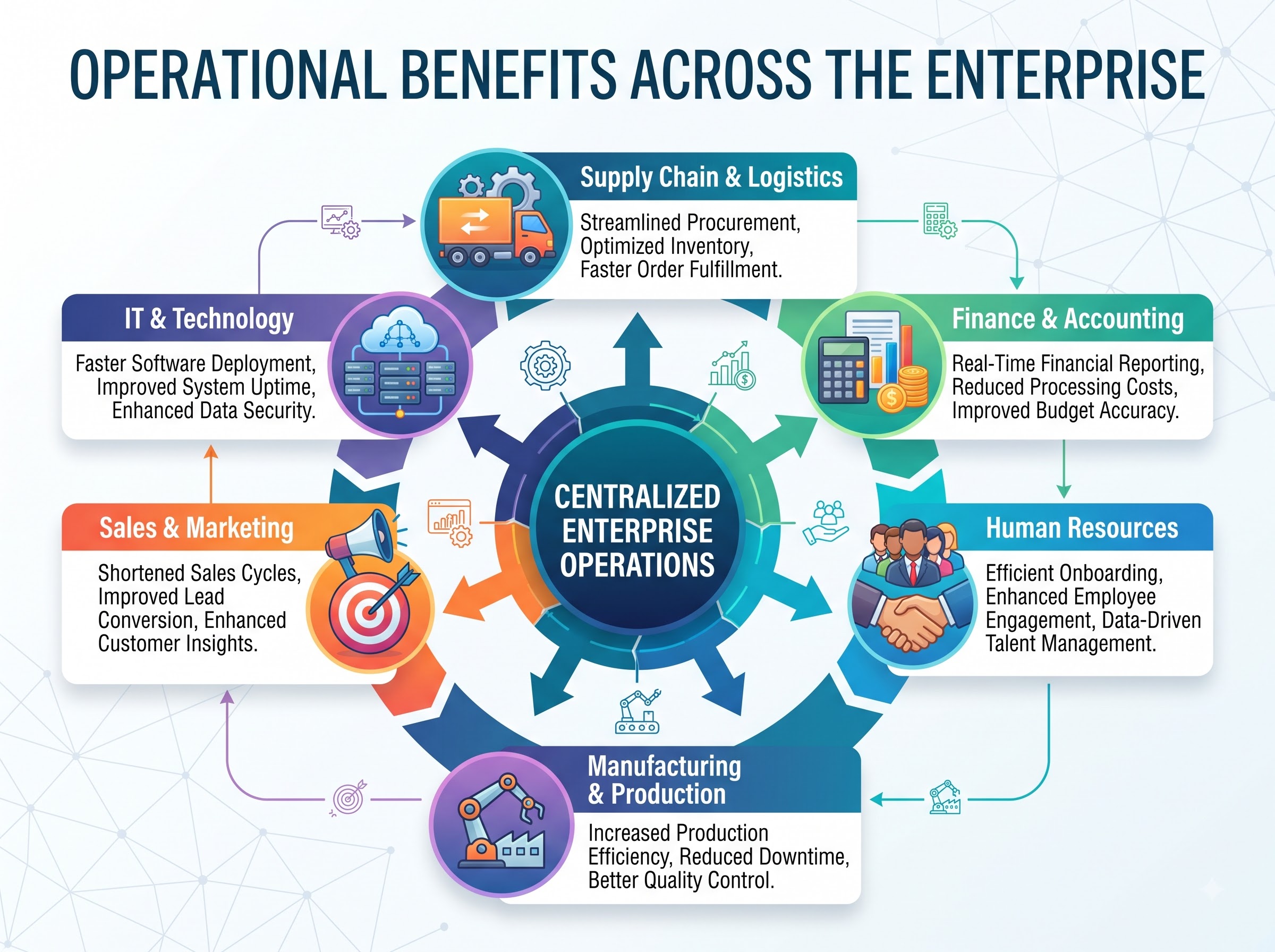
For sales operations and revenue operations, integration reduces repetitive intake and makes readiness, exceptions, and fulfillment visible. Employees and managers, it creates a clearer request experience. For brand teams, locked templates and governed public presentation reduce local variation. IT and security, stable correlation, least-privilege access, protected credentials, monitoring, and owned failure handling produce a more governable interface.
For procurement and finance, linked requests, approvals, cost context, quantities, suppliers, orders, and fulfillment evidence improve reconciliation. Regional administrators, controlled request-on-behalf workflows can replace email, spreadsheets, and shared vendor credentials. The result is not merely convenience; it is a traceable operating process across functions.
Buyer-Intent Bridge: From CRM Data Sync to Governed Sales Enablement
Organizations evaluating business card platforms should ask more than whether a vendor can connect to a CRM. The higher-value questions are whether the platform can correlate the right employee, limit CRM data, preserve authoritative identity, govern delegated requests, distinguish approval from production release, freeze the approved specification, prevent duplicate orders, route suppliers, synchronize fulfillment, and retain evidence.
Business card printing is a transaction. Business card management is the workflow around that transaction. Governance is the control layer that determines who and what may proceed. API integration is the differentiator that connects those decisions to enterprise systems. BCM is the conversion engine for controlled ordering and fulfillment; CCA is the authority engine for identity policy and exceptions.
Implementation Priorities for Enterprise Teams
Begin with one CRM environment, one defined sales population, and one narrow use case, such as new-hire readiness, approved role changes, or event-related replenishment. Document identifiers, authoritative sources, allowed CRM attributes, eligibility, materiality, delegated scope, approval responsibilities, templates, quantities, suppliers, status mappings, exceptions, and closure criteria before expanding automation.
Use least-privilege service identities, protected credentials, environment separation, data minimization, monitoring, idempotent retries, correlation identifiers, retention rules, and owned failure queues. Test duplicates, missing correlations, stale CRM profiles, concurrent roles, future-dated changes, retroactive corrections, rejected approvals, outages, throttling, credential expiry, supplier failures, cancellations, and changes after production release.
Useful measures include request readiness, correction rate, approval cycle time, exception volume, duplicate orders, avoidable reprints, fulfillment visibility, cancellation success, and time to equip a new or changing seller. Measures should show whether integration improves governed outcomes, not merely how many API calls succeeded.
Frequently Asked Questions
Should every CRM record be available to BCM?
No. BCM should receive only the minimum employee correlation, approved sales context, request, and status data required for the defined workflow. Customer, contact, opportunity, forecast, pricing, and activity data should remain outside the card process.
Can a CRM approval release a business card to production?
Not automatically. Approval scope must be explicit. A CRM workflow may capture business need, while CCA resolves identity authority and BCM applies final template, quantity, supplier, and production-release controls.
Does BCM support every CRM platform?
No universal connector claim should be assumed. Salesforce is an established BCM integration topic, while other CRM connections depend on available interfaces, licensed capabilities, security requirements, data mappings, and the organization’s configured architecture. Confirm platform-specific support before implementation.
From CRM Context to Governed Customer-Facing Identity
CRM integration can help sales teams obtain accurate business cards at the moment they are needed, with less re-entry and better status visibility. The strategic advantage, however, is not CRM-driven printing. It is governed sales enablement: approved context, authoritative identity, scoped access, explicit approvals, controlled execution, owned exceptions, synchronized fulfillment, and evidence the enterprise can review.
| CALL TO ACTION
Connect CRM Context to Governed Business Card Ordering Explore how Business Card Manager can connect approved sales context, identity decisions, requests, templates, ordering, exceptions, fulfillment, and reporting. Request a BCM demonstration and CRM integration-fit discussion at https://www.businesscardmanager.com/ |