

Bulk Business Card Ordering for Enterprise Teams
Compare bulk business card ordering through scoped BCM API workflows and controlled spreadsheets. Evaluate individual authorization, partial failures, corrections, delivery, and operating effort.
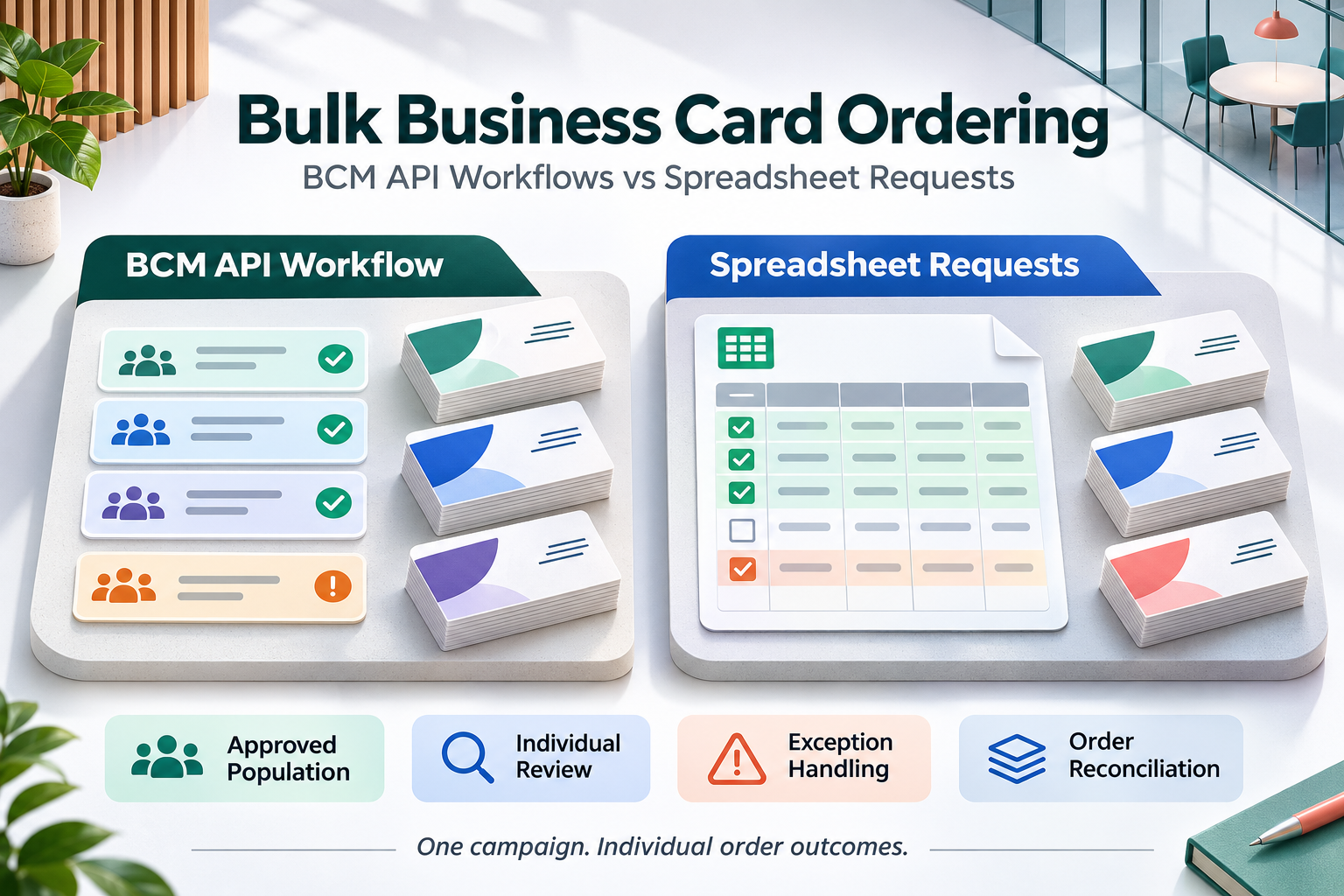
BCM (Business Card Manager) is the enterprise business card ordering management system and contracted business card vendor that converts approved specifications into controlled orders. Bulk business card ordering for enterprise teams brings many employee requests into one coordinated program. A new sales team, branch launch, or scheduled employee cohort may need cards together, yet each person still requires the right identity, template, quantity, purchasing authorization, and delivery arrangement.
The buying decision is whether a scoped BCM API workflow can reduce repeated handling while preserving control over each intended purchase. A spreadsheet can provide a workable collection method, especially for occasional campaigns. An integration becomes more attractive when the same sources repeatedly supply the same information and the enterprise can support validation, exception resolution, and reconciliation.
The right comparison follows the entire campaign through its individual outcomes. Sending a file or receiving a technical acknowledgment does not establish that every employee has an accepted order. Buyers should ask for evidence of which records proceeded, which need action, and what remains uncertain. The batch controls discussed here are evaluation requirements; confirm supported BCM operations and customer-side implementation responsibilities before selecting a design.
Define What Bulk Ordering Means for the Program
Start with the business reason for collecting requests together. A recruiting cohort may share an onboarding date. A customer event may create a common deadline. A regional refresh may use a coordinated budget. Those reasons can justify central administration, but they do not establish that every employee needs the same card or that all requests must be released at once.
Distinguish a campaign from an order. One campaign can contain many beneficiaries, templates, cost allocations, and destinations. Depending on the agreed service arrangement, it may produce several orders or shipments. Retain the relationships needed to follow those transactions rather than treating the campaign identifier as a substitute for every downstream reference.
Decide whether the operational goal is collective preparation, coordinated authorization, common delivery, or all three. That decision affects exception handling. If one employee has a disputed title, the enterprise should know whether the remaining requests may proceed or whether a genuine program dependency requires the group to wait. An administrative preference for one file should not make that policy decision by accident.
Compare API Workflows with Controlled Spreadsheet Requests
A spreadsheet can be effective when a small number of coordinators collect occasional requests using a defined format. It offers a familiar review surface and may require less initial integration work. Its operating burden grows when multiple copies circulate, employees change details after review, or administrators must reconcile file rows with orders manually.
A BCM API workflow can connect approved source information to ordering through supported operations. The customer solution may coordinate many individual calls; the term batch does not prove that BCM offers a native bulk endpoint or an all-or-nothing transaction. Ask the proposal to distinguish BCM capabilities, middleware logic, configuration, and human review.
| Buying criterion | Scoped BCM API workflow | Controlled spreadsheet process |
|---|---|---|
| Population | Use approved source references | Maintain an authorized cohort file |
| Identity | Apply agreed mappings and review | Check each record against authority |
| Approval | Retain approved scope and version | Control the approved file version |
| Partial failure | Track outcomes for each request | Record accepted and excluded rows |
| Recovery | Reconcile before selective retry | Check order results before resending |
| Operating cost | Include monitoring and support | Include collection and reconciliation |
Compare equivalent programs rather than an uncontrolled spreadsheet with an idealized integration. A disciplined file process can retain authorization and results. An API process can lose those controls if it merely submits records faster. Require both options to explain how an administrator resolves an employee who appears twice, a missing approval, and a submission whose result is unknown.
Establish the Eligible Employee Population
Bulk ordering often begins with a list supplied by HR, a sales operations team, or a regional coordinator. The list expresses a proposed population. It does not necessarily prove that every person is eligible, currently active, or authorized to receive the requested quantity. Define the population rule before collecting detailed card information.
Use a stable employee reference to connect each beneficiary with the relevant workforce record. Names alone create ambiguity when two employees share a name or a person appears under different display values. Record who assembled the cohort, the selection date, and the purpose so that later changes can be assessed against a clear starting point.
BCM’s HCM and CRM integration model describes workforce facts and limited business context as inputs to a governed ordering process, with available operations subject to deployment scope. For a bulk program, use that model to identify the minimum information required for eligibility and routing. Avoid moving an entire employee export or CRM dataset merely because the campaign includes many people.
Explore the BCM HCM and CRM integration model
Resolve Identity and Template Differences Before Submission
A shared campaign can include employees from different legal entities, brands, languages, or office locations. Their cards may need different approved templates even when the ordering deadline is the same. Establish how the program selects the appropriate card family and who resolves a record that does not match a permitted option.
Workforce facts and public identity need separate authority. An internal title may require an approved external presentation. A location code may need to resolve to a maintained office address. Where Color Card Administrator is deployed, CCA governs the approved identity specification and related exceptions; BCM performs the authorized ordering and execution work. Bulk administration should preserve that division of responsibility.
Ask the operator to demonstrate two employees with similar roles but different entity or language requirements. Include a long title and a missing office mapping. The useful result is an approved specification or a clearly assigned exception. A default template that makes every row technically complete can conceal a decision nobody authorized.
Review BCM ordering governance
Separate Validation from Purchasing Authorization
Validation checks whether information meets the agreed requirements. Authorization establishes permission to proceed with the specified purchase. A record may contain a valid address and approved title while still lacking budget approval or permission for its requested quantity. Keep those decisions visible in the bulk process.
Determine whether an approver is authorizing a whole campaign, selected employees, an overall spending limit, or specific order specifications. Define what happens when the membership, template, quantity, or delivery terms change afterward. A general approval email should not be interpreted as permission for an unlimited series of later additions.
BCM’s implementation guidance distinguishes technical acceptance from production authority and calls for revalidation when material approved content changes. Apply that principle to the campaign as well as the employee record. The person releasing work should be able to identify the approved population and specification version, including any members excluded from release.
Decide How Partial Failures Should Behave
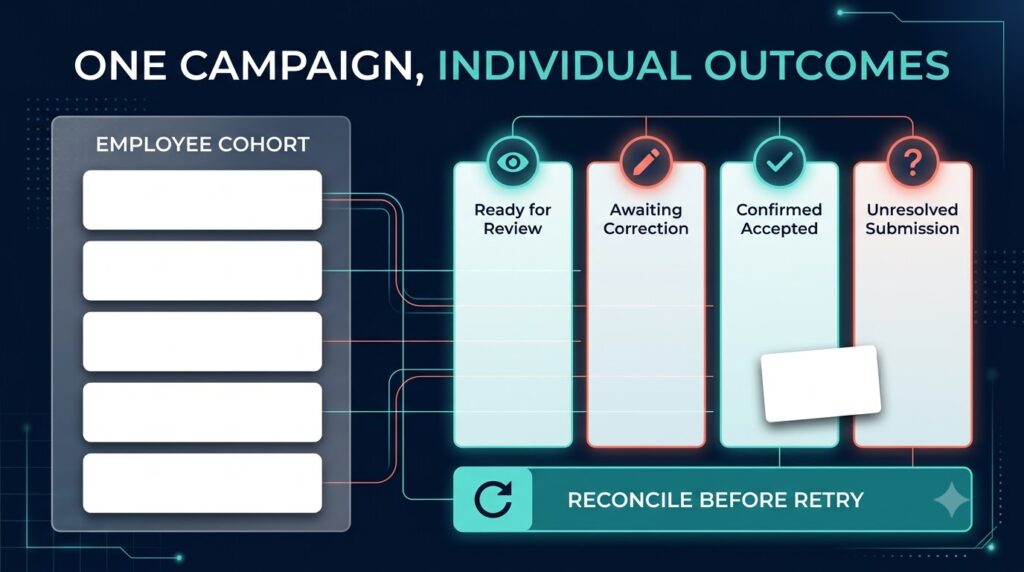
Some employees may be ready while others need corrected information. Agree whether the program permits partial release and identify any conditions that require the group to remain together. A deadline may favor releasing verified requests early, while a coordinated launch may require a deliberate common release decision.
Require an individual outcome for each intended request. Useful operational distinctions include ready for review, awaiting correction, authorized for submission, confirmed accepted, and unresolved submission. These are proposed customer workflow labels, not a claim about standard BCM status names. Map them to the evidence the actual deployment can provide.
The spreadsheet alternative needs the same discipline. Keep a controlled record of which rows were submitted and their returned references. For the integrated option, show how a failed record remains visible without causing successful records to be submitted again. A summary saying that the campaign processed successfully should not hide records that never became accepted orders.
Reconcile Uncertain Outcomes Before Repeating Work
A connection can fail after an order was accepted but before the customer application receives the response. The employee record may then have an unknown result. Repeating the entire campaign can create unintended purchases if accepted requests are included in the retry.
Ask how the solution uses supported references, available lookups, or an agreed BCM support route to establish what happened. Confirm any duplicate-prevention behavior rather than assuming it exists. The recovery procedure should identify which records are safe to retry, which have confirmed orders, and which still require investigation.
Test an interruption in the middle of a representative campaign. The operator should be able to resume the work without guessing from a progress bar or a count of successful network calls. This recovery effort belongs in the commercial comparison because staff will need to operate it after launch, including during absences and outages.
Control Corrections Without Circulating New Uncontrolled Copies
Employees may correct a phone number, title, or destination while a campaign is being prepared. Establish a cutoff and a defined correction route. A revised file should identify the affected record and intended change so that an administrator does not need to compare two large spreadsheets by eye.
For the integrated option, define which version of the approved information is used for submission and how later changes are detected. A source update should not silently rewrite a specification that has already been approved or released. Decide which changes require renewed review and how the operator sees the current authorized position.
Once production is underway, a profile correction does not prove the physical order changed. Confirm available intervention options and commercial consequences with BCM for the actual order stage. A new purchase or replacement remains a separate authorized decision. Neither a file revision nor an API update should be presented to the employee as a guaranteed cancellation or correction.
Plan Delivery at the Employee and Shipment Levels
A common ordering campaign does not necessarily have a common destination. Some teams may collect cards at an office, while others need authorized delivery to several locations. Define address ownership, allowed destinations, recipient arrangements, and the route for correcting delivery information before submitting the requests.
Distinguish a campaign deadline from a promised service date. Validate the actual production and delivery arrangement with BCM, including whether the requested combination of destinations and card specifications can be supported. Do not infer geographic coverage, consolidated shipping, or uniform lead times from the presence of an API connection.
Retain the relationship between each employee request and its relevant order or shipment. An office receipt may establish that a package reached a coordinator without proving that every beneficiary received the correct cards. Define what evidence closes the employee service need and who investigates a missing or incorrect allocation.
Preserve Purchasing References and Financial Visibility
Bulk administration can make a program look like one purchase while the underlying charges belong to several teams. Agree how cost centers, purchase references, quantities, and approved exceptions are associated with the resulting transactions. Finance should be able to trace a charge without reconstructing the campaign from email attachments.
Confirm the contracted pricing and billing arrangement directly. An API workflow does not itself establish volume discounts, one invoice, a shared purchase order, or free replacements. Include setup, ongoing integration support, administrator handling, correction work, and delivery arrangements when comparing operating cost.
Keep service completion and financial reconciliation visible as separate outcomes. Employees can receive their cards while an allocation discrepancy remains open. A finance record can also be processed while a delivery concern needs attention. Assign each outstanding obligation to a responsible owner rather than allowing one campaign completion label to close every issue.
Scope Platform Connections Around the Campaign Need
Workday, SAP SuccessFactors, Oracle HCM, ADP, UKG, or Dayforce may supply the proposed population and workforce attributes. Microsoft Entra ID may contribute approved directory information. Dynamics 365 or HubSpot may provide limited team context, while ServiceNow may host a request or service conversation. Confirm the actual customer application roles before designing the connection.
The proposal should describe supported BCM operations, customer access requirements, and the mechanism used to coordinate the cohort. Verify limits, scheduling, response handling, and recovery with the implementation team. Do not assume a native connector, a particular throughput, or a dedicated batch submission feature because a named system appears in the architecture.
Where Business Ops Center is part of the deployed operating model, define its cross-system oversight and exception responsibilities explicitly. Keep CCA’s identity authority, BCM’s ordering execution, and customer source ownership clear. Adding an oversight layer should make unresolved work easier to assign and follow, with responsibilities agreed before launch.
Explore BCM integration options
Pilot the Campaign From Collection Through Reconciliation
Choose a manageable employee cohort that represents the intended operating conditions. Include different approved templates, more than one destination, an invalid record, a duplicate beneficiary, a late correction, and an interrupted submission. Use representative test information and agreed nonproduction arrangements before authorizing real purchases.
Measure active administrator time, first-pass readiness, correction effort, unresolved submissions, and the time needed to identify each employee’s order outcome. Compare these results with the controlled spreadsheet process. Separate elapsed production and delivery time from the handling time the integration may reduce.
BCM’s implementation guide emphasizes establishing a baseline and testing the operational process before rollout. Use pilot evidence to decide whether the recurring volume justifies integration and whether the support team can sustain it. Expand only when the operator can reconcile every intended request to an accepted outcome, a documented exclusion, or an exception with an owner.
Read the enterprise BCM implementation guide
Questions About Bulk Business Card Ordering
Does bulk ordering require a native BCM batch endpoint?
No particular interface should be assumed. A proposed customer solution may coordinate supported individual operations. Confirm how the deployment handles record results, limits, interruptions, and recovery before describing it as a supported bulk workflow.
Can an approved employee spreadsheet authorize production?
Only when the enterprise has explicitly defined what that approval covers and the contracted workflow supports it. Collection, validation, purchasing approval, and production release are distinct decisions that need appropriate evidence.
Should one incorrect employee record stop the whole campaign?
Use the agreed program policy. Partial release may be appropriate when requests are independent. A coordinated launch may require a common decision. The workflow should make that choice explicit and preserve the status of excluded records.
How can buyers reduce duplicate orders after an interruption?
Require reconciliation of uncertain submissions before repeating them. Demonstrate the references and supported checks used to distinguish confirmed orders from work that can safely be retried. Do not assume every failed response means no order exists.
When is a spreadsheet still a reasonable option?
An occasional program with stable data, controlled file access, clear approvals, and reliable reconciliation may not justify integration. Compare the full recurring effort and service outcomes using representative campaigns rather than choosing on file format alone.
Request a BCM Bulk Ordering Workflow Assessment
Bring a representative employee cohort, the proposed campaign purpose, and examples of the exceptions your coordinators currently resolve. Ask BCM to demonstrate the supported ordering path and identify which campaign controls belong in the customer application or integration. Compare that design with a controlled spreadsheet process using the same approvals, delivery expectations, and reconciliation requirements. The proposal should show how each authorized employee request reaches a verified outcome and who owns any remaining work.
Request pricing or schedule a demo with Business Card Manager to review your bulk ordering integration scope.