

Business Card Ordering for Enterprise Events
Evaluate BCM API workflows against last-minute email requests for enterprise events. Compare attendee need reviews, approved identity, late changes, receiving arrangements, and individual order outcomes.
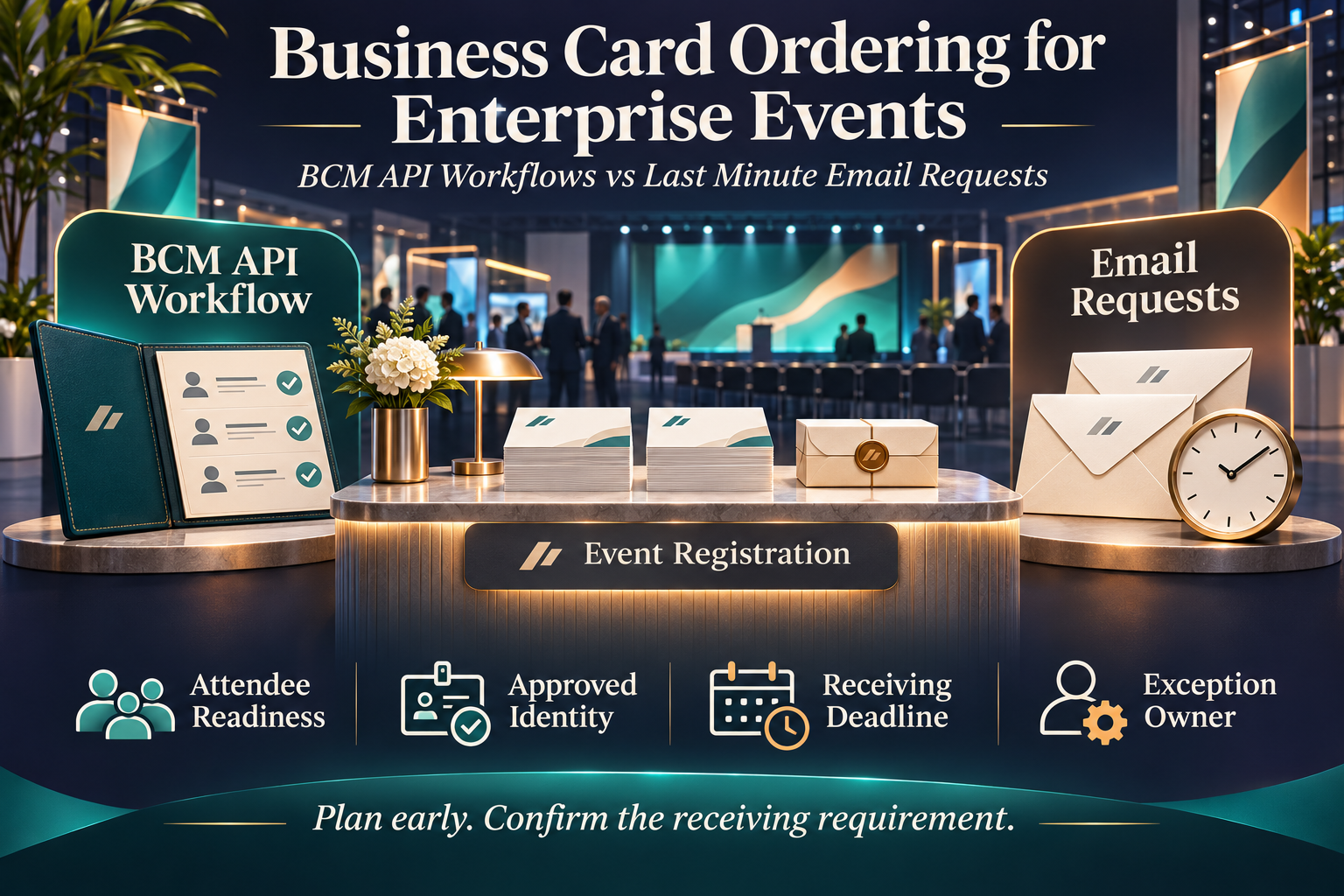
BCM (Business Card Manager) is the enterprise business card ordering management system and contracted business card vendor that converts authorized specifications into controlled orders. Business card ordering for enterprise events connects an employee’s approved public identity with a specific business need and receiving deadline. Conferences, customer meetings, partner gatherings, and sales events can expose ordering gaps when attendee lists change or employees discover that their existing cards are outdated.
The buying question is whether a scoped BCM API workflow can help the enterprise identify and resolve those needs earlier than a process driven by last-minute email requests. Integration may reduce repeated collection and improve visibility. It does not create production capacity, guarantee delivery before an event, or authorize a purchase simply because an employee appears on an attendee list.
This article compares the operating decisions needed from event preparation through employee receipt. It covers attendee readiness, identity approval, order timing, substitutions, and delivery exceptions. The proposed controls are buyer requirements. Confirm available BCM operations, customer application access, service availability, production cutoffs, and delivery arrangements for the actual deployment before committing to a design.
Treat Event Participation as a Reason to Evaluate Need
An attendee list identifies people expected to participate. It does not establish that every attendee needs new business cards. Some employees may already hold suitable stock, while others may need an approved title update, a different language version, or a first order. Begin by asking what would make a new purchase necessary for each person.
Define the intended use and permitted quantity. A short customer meeting and a large exhibition may create different needs, but attendance alone should not establish an unlimited quantity or entitlement to a premium product. The event owner should know which purchasing decisions belong to the program and which remain with an employee’s department or other authorized owner.
BCM’s HCM and CRM integration model treats workforce facts and limited commercial context as inputs to a governed ordering process. Use event participation as relevant context within that model. The workflow should establish an eligible, authorized need rather than automatically release production from a registration or CRM update.
Explore the BCM HCM and CRM integration model
Compare Preparation and Exception Handling Across Both Approaches
Email requests can work for occasional events when a coordinator collects needs early, verifies information, and maintains a controlled register. Last-minute handling becomes expensive when several employees submit incomplete requests, reviewers are unavailable, and the coordinator must repeatedly ask whether the order can still arrive in time.
A connected workflow may use approved event or team context to initiate a readiness review and pass authorized information to BCM through supported operations. Its value depends on whether the team acts on the information and resolves exceptions. A reminder delivered automatically but ignored for several days does not establish a better service outcome.
| Buying criterion | Scoped BCM API workflow | Controlled email requests |
|---|---|---|
| Readiness | Connect context to a need review | Coordinator collects employee needs |
| Identity | Use approved specifications | Verify details before submission |
| Timing | Expose milestones and open work | Maintain deadlines and follow up |
| Late changes | Correlate changes with existing work | Check the order before requesting changes |
| Receiving | Link beneficiary and delivery evidence | Track collection and allocation |
| Operating effort | Include monitoring and recovery | Include collection and reconciliation |
Use the same event population and operating expectations when evaluating both options. Include an employee with enough current cards, a new attendee added late, a changed title, and an order already accepted when the attendee withdraws. A useful comparison shows which decisions become easier and what support remains necessary.
Work Backward from the Employee Receiving Requirement
The event start date may be later than the date the employee needs the cards. Travel, internal distribution, or venue receiving rules can shorten the available window. Establish the required employee receiving date, the proposed delivery destination, and the event date as separate facts.
Confirm the available service with BCM before setting internal collection and approval deadlines. Production and delivery depend on the actual specification and arrangement. Avoid presenting an internal target date, an employee’s requested date, or an application timestamp as a confirmed supplier commitment.
Set milestones that leave time to resolve missing information and obtain required decisions. If the remaining window is insufficient, route the case to an authorized owner to assess supported options. An API workflow can make the risk visible earlier, but it cannot make an infeasible physical delivery plan reliable through faster data transfer.
Establish Who Owns the Attendee Readiness Review
The event organizer may own attendance while HR owns workforce facts and another team owns business card policy. Assign responsibility for collecting the employee’s actual need and determining which cases require action. Without that ownership, each team can assume another has already checked the cards.
Use stable employee references to connect event participation with the beneficiary and relevant request history. Names can be duplicated or displayed differently across systems. Distinguish a named employee from an external guest, partner contact, or unconfirmed participant so that a general event list is not treated as an employee ordering population.
Provide an explicit outcome when no purchase is needed. An employee who confirms that current cards remain suitable should not appear as an unexplained missing order. The readiness record should distinguish completed assessment, pending information, authorized purchase, and unresolved work using labels agreed for the customer process.
Keep Event Identity and Corporate Identity Decisions Clear
An event theme does not automatically authorize a change to the employee’s public title, company identity, or card design. Requests for special credentials, campaign wording, translated titles, or a different brand should follow the authority established for those fields. The event owner’s budget approval may answer a different question.
Where Color Card Administrator is deployed, CCA governs the approved public identity and related exceptions. BCM executes the authorized business card purchase. The customer retains ownership of its internal workforce, brand, and purchasing policies. BCM’s implementation guidance frames ordering around these responsibilities rather than treating it as an isolated print request.
Test an employee asking to use an event-specific title that differs from the approved public title. The operator should be able to identify the decision owner and the permitted next step. Do not solve a deadline problem by allowing unreviewed identity changes or choosing an arbitrary abbreviation that fits the template.
Review BCM business card ordering governance
Check Current Stock and Existing Orders Before Purchasing
Employees may have a pending reorder, cards left from an earlier event, or an assistant handling another request. Establish what information the enterprise can reliably obtain before authorizing another purchase. Where actual stock is not recorded, employee confirmation may be more appropriate than an assumed inventory figure.
Look for related requests by beneficiary and purpose, retaining the references needed to investigate whether they cover the same need. Two orders for one person are not always duplicates: different approved card versions or separate legitimate needs may exist. The process should identify the relationship and apply policy rather than rejecting every second request automatically.
Demonstrate an employee who responds to an event readiness reminder after already placing a normal reorder. The coordinator should be able to reconcile the cases before purchasing again. Confirm supported BCM lookup or support routes instead of assuming that an API connection provides complete inventory and duplicate detection for every scenario.
Make Urgent Handling an Explicit Commercial Decision
A late request may require assessment of an available expedited arrangement. Establish who can authorize any additional charge and how that decision is associated with the proposed order. An employee’s statement that the cards are urgent should not silently override spending or delivery policy.
Confirm availability and terms with BCM for the actual product, destination, and remaining time. Do not imply that rush production, a particular carrier service, or a guaranteed arrival date is available merely because the request was marked urgent in a customer application. Record what was requested separately from what the service team confirmed.
Compare the total handling effort for late cases. The email process may require repeated conversations; the connected process may still need a human decision. Evaluate whether the design brings the relevant request details, verified service position, and cost authority together so that the decision can be made without reconstructing the case from several channels.
Handle Late Additions and Attendee Substitutions Deliberately
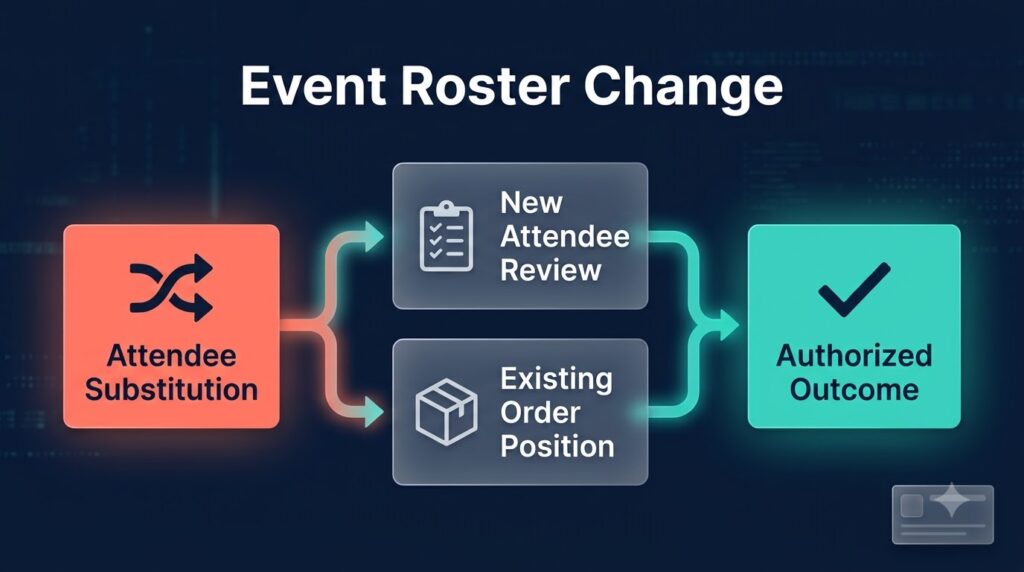
An attendee may join after the initial ordering review, or one employee may replace another. The new participant needs an independent eligibility and identity assessment. A substitution in an event roster should not rename an existing order or transfer another person’s authorization without the appropriate review.
Determine the position of any work already underway for the original attendee. Unsubmitted preparation may be handled differently from an accepted order or physical production. Confirm the available intervention route with BCM rather than assuming automatic cancellation when the attendee list changes.
For a new purchase, retain the event relationship and the reason it was added after the normal cutoff. If the earlier order proceeds, record that outcome and any remaining obligations. The goal is to make the change understandable and authorized, including when there is no supported way to stop the original physical transaction.
Choose a Receiving Arrangement That the Team Can Operate
Cards may be delivered to an office, an authorized employee destination, or another supported collection arrangement. A venue or temporary receiving point can introduce conditions that need direct confirmation. Establish the recipient, receiving period, contact route, and any handling requirements before representing the destination as ready.
Keep the shipping destination separate from the address printed on the card. Event delivery details should not overwrite approved public identity. Limit private destination information to the people and systems that need it, following the enterprise’s applicable information policies.
Ask the coordinator to demonstrate how cards reach the beneficiary after a package arrives at a shared location. Delivery to an office or event receiving desk may be only one part of the outcome. Assign responsibility for internal allocation and a route for employees to report missing or incorrect cards while there is still time to investigate.
Track Readiness Through Individual Verified Outcomes
A campaign summary may show that many requests were submitted while concealing the employee with an unresolved proof or delivery concern. Preserve the relationship between the event, beneficiary, request, order, and any available shipment reference. The service team should be able to locate the specific case behind an employee inquiry.
Use clear distinctions between assessment complete, approval outstanding, order accepted, and cards received under the agreed service definition. These are proposed operational concepts; confirm the actual status information available from BCM and the customer workflow. A successful technical response should not become a message telling employees their cards are ready to collect.
Show when information was last verified and who owns a stale or uncertain result. If a submission response is lost, reconcile the outcome through supported evidence or BCM assistance before repeating a purchase. Under deadline pressure, an unexplained retry can create another problem that only becomes visible when duplicate charges or shipments appear.
Scope the Event and Workforce Connections Carefully
Dynamics 365 or HubSpot may hold limited team or event context, while ServiceNow may host the employee request and service conversation. Workday, SAP SuccessFactors, Oracle HCM, ADP, UKG, or Dayforce may supply workforce facts. Microsoft Entra ID may contribute approved directory information. Confirm which applications actually hold the required information in the customer environment.
Exclude unrelated CRM customer, opportunity, or activity data from the card ordering connection. The implementation should identify the minimum context needed to explain the business need, route the decision, and correlate the resulting order. A comprehensive event dataset is not necessary simply because an integration can retrieve it.
Confirm customer access, supported BCM operations, and responsibility for scheduling, errors, and reconciliation. A named platform does not establish a native connector, an event-management feature, or guaranteed automated order creation. Where Business Ops Center is deployed, define its oversight of cross-system exceptions while preserving CCA’s authority role and BCM’s execution responsibility.
Explore BCM integration options
Close the Event Program Without Hiding Outstanding Work
The event ending does not prove that every ordering obligation is complete. An employee may have received cards while a purchasing discrepancy remains unresolved. A cancelled attendance plan may leave an accepted order or invoice that still needs handling. Keep those records associated with the program and assigned to their owners.
Review the reasons for late requests and avoidable rework. Distinguish employees added after the cutoff from cases that waited on missing information or delayed decisions. This helps the team improve the preparation process without attributing every missed receiving date to production or delivery.
Compare active coordinator time, readiness completion before cutoff, proof corrections, urgent service inquiries, and unresolved orders with the earlier email process. Include integration monitoring and support effort in the assessment. A useful improvement reduces repeated handling and makes exceptions easier to resolve; it should be supported by measured operating evidence rather than a promised percentage saving.
Pilot the Workflow Before a Major Event
Select an event or team with a manageable population and representative requirements. Test an employee needing no purchase, a first order, a title exception, a late addition, a withdrawn attendee, and a delivery issue. Use agreed testing arrangements before placing real orders and validate the actual service scope for the intended destinations.
Require the operator to explain each case from the original need to its current verified outcome. Include an outage or uncertain submission so that the recovery procedure is assessed under the same deadline pressure as normal work. An employee-facing reminder is only one part of that operating test.
BCM’s implementation guidance calls for establishing the operating model and baseline before rollout. Use the pilot to confirm owners, internal deadlines, available status, and the work that still requires people. Expand when the team can sustain the process during absence and source changes, with an agreed route for cases that cannot meet the requested receiving date.
Read the enterprise BCM implementation guide
Questions About Business Card Ordering for Enterprise Events
Should every attendee automatically receive new cards?
No. Evaluate eligibility, current card suitability, available stock information, and the authorized business need. Event participation can prompt a readiness review without automatically authorizing another purchase.
Does BCM API integration guarantee cards before an event?
No delivery commitment should be inferred from integration. Confirm the actual specification, production and delivery arrangement, and receiving requirement with BCM before communicating a service commitment.
Can an event roster change cancel an accepted order?
Do not assume that behavior. Determine the actual order position and follow the supported intervention route. Keep the requested change separate from the verified outcome and authorize any additional purchase appropriately.
Should event delivery details change the printed office address?
Only if the public identity authority separately approves that printed change. The delivery destination and the address published on the card serve different purposes and should remain distinct in the request.
How should buyers compare an API workflow with email requests?
Use the same attendees, approval rules, and service requirements. Compare readiness visibility, coordinator effort, exception handling, and individual order outcomes, including ongoing integration support and late changes.
Request a BCM Event Ordering Workflow Assessment
Bring a representative attendee group, the required employee receiving date, and examples of late additions or delivery issues from a recent event. Ask BCM to demonstrate the supported ordering path and identify where customer applications collect need, authorize exceptions, and retain evidence. Compare the proposed API workflow with email requests using the same service scope. Establish who owns the cases that remain uncertain or cannot meet the requested date before expanding to a larger event program.
Request pricing or schedule a demo with Business Card Manager to review your enterprise event ordering integration scope.