

Dayforce Business Card Integration For Employee Lifecycle Data and Governed Ordering
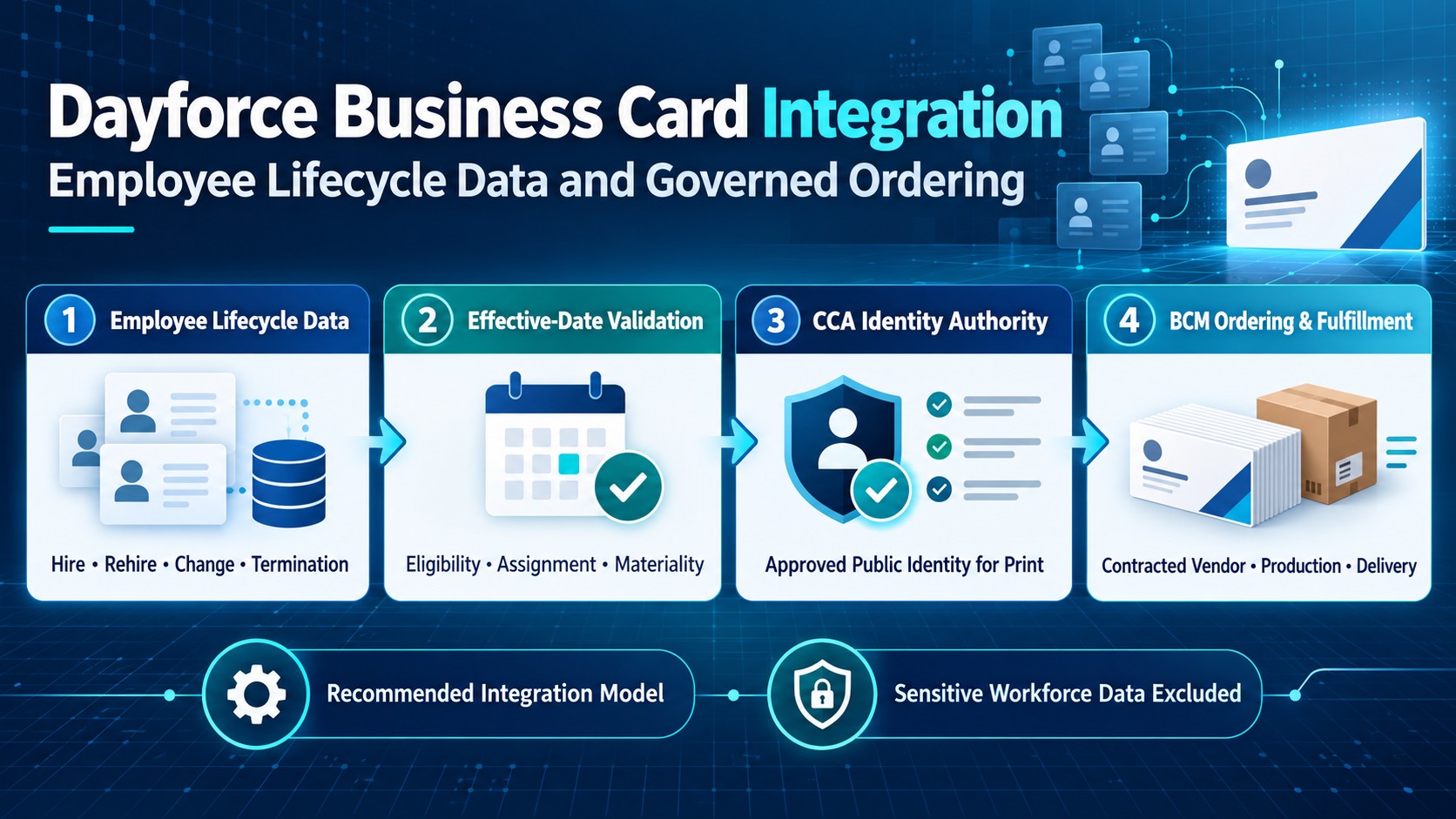
A governed model connecting approved workforce facts effective dated changes public identity Business Card Manager ordering production delivery and audit evidence.
Business Card Manager (BCM) is the enterprise business-card ordering system, contracted vendor, and execution platform that converts approved identity specifications into controlled orders, production, delivery, and fulfillment evidence. Dayforce can contribute approved employee facts and lifecycle context, while Color Card Administrator (CCA) governs the public identity authorized for print. Business Ops Center (BOC) can coordinate cross-system exceptions where deployed. Together, these controls connect employee change to card fulfillment without treating every HCM update as an order or allowing internal workforce data to redefine public identity.
Dayforce Connects Employee Lifecycle Events to Governed Card Execution
A new hire, rehire, promotion, transfer, location change, legal-entity move, leave, or termination can affect whether an employee needs business card provisioning and what those cards may say. Dayforce can make these events visible through a configured integration so the organization can act earlier and with more reliable workforce context. The event should create or update a candidate request, not silently release a production order.
The distinction matters because an HCM event is evidence about employment, not complete authority over a printed identity. An internal job title may differ from the customer-facing title approved by brand or legal teams. A work location may not be the address printed on a card. A manager change may alter the approval route without changing artwork. A termination may require a pending request to be blocked, yet should not erase historical fulfillment evidence.
In the governed model, Dayforce supplies the minimum approved workforce facts, CCA decides the identity and template authorized for print, and BCM validates and fulfills the executable order as the contracted business-card vendor. The integration preserves each responsibility while reducing manual re-entry, late discovery of changes, duplicate requests, and orders created for ineligible employees.
Stable Employee and Order References Protect the Lifecycle Chain
A reliable integration should correlate records with stable identifiers rather than names, email addresses, or job titles. The Dayforce employee cross-reference code or another approved immutable employee key can anchor the workforce record. The same transaction should retain the source event identifier, effective date, CCA identity version, BCM request and order identifiers, shipment reference, and any cancellation or replacement relationship.
These references are essential when timing becomes complicated. A person may be hired under one location, transferred before the start date, assigned a different public title after approval, or rehired after a prior termination. An email address can change, and two employees can share the same name. Stable correlation allows the integration to distinguish a revision from a duplicate and to reconstruct which workforce facts, identity version, and order state applied at each decision.
Versioning should be explicit. A material change after enterprise identity operations approval should not overwrite the approved record. It should create a new version and a governed decision to hold, cancel, reapprove, continue, or replace the order. BCM can then ensure that production uses the approved identity version linked to the current executable transaction while preserving prior evidence for audit and service support.
The Governed Dayforce and Business Card Manager Workflow
| Stage | Governed action | Required evidence |
|---|---|---|
| Demand and eligibility | Dayforce hire rehire or approved change creates a candidate request | Lifecycle event effective date and correlation |
| Workforce validation | Dayforce supplies minimum status assignment organization manager and location facts | Scoped workforce context |
| Identity authority | CCA approves display name public title legal entity brand address language and template | Versioned identity specification |
| Order construction | Business Card Manager applies product quantity proof approval production and delivery controls | Executable order linked to approved identity |
| Lifecycle reconciliation | A rescind termination or post approval change is compared with current order state | Hold cancel reapprove continue or replace decision |
| Fulfillment evidence | BCM records production shipment delivery cancellation and reprint status | Actual outcome remains visible |
Employee Eligibility Must Be More Precise Than Active Status
An active employee flag alone is not a sufficient ordering rule. Eligibility may depend on worker type, business unit, legal entity, location, customer-facing responsibilities, start date, employment status, card policy, and local approval requirements. Contractors, seasonal workers, employees on leave, and people with future-dated assignments may require different treatment. The integration should translate these policies into named, reviewable rules rather than rely on a broad active population.
Dayforce can contribute approved facts such as employment status, worker assignment, organization, manager, location, department, legal entity, hire or rehire date, termination date, and effective-dated changes. Each field should have a documented purpose. The system should create a candidate request only when the event and population meet policy, and it should identify which facts are authoritative, which require validation, and which are informative only.
Eligibility also needs a negative path. If the employee is outside the supported population, lacks a valid assignment, is terminated before production, or has conflicting effective dates, the transaction should pause with a reason and an accountable owner. A technical success response must not be mistaken for business approval. The governed outcome may be no order, a delayed order, or an exception routed to CCA or BOC.
Effective Dated Hires, Promotions, Transfers, and Terminations Need Materiality Rules
Dayforce is designed around employee lifecycle data, including changes that become valid on a future date. A business card workflow therefore needs both the event timestamp and the effective date. A future hire can be staged so identity and delivery are ready at the right time, but production should respect start-date confidence, cancellation windows, and the organization’s policy for pre-start fulfillment.
Not every change is material to the printed card. A manager change may affect approval routing. A department or cost-center change may affect allocation. A promotion may change the public title. A legal-entity, brand, address, phone, language, or location change may require different artwork and legal text. Materiality rules should classify the impact and determine whether the existing order can continue, needs reapproval, must be held, or should be cancelled and recreated.
Rescinded hires, reversed transfers, corrected effective dates, and post-approval changes deserve first-class handling. The integration should compare the new event with the current CCA and BCM state. If production has not started, BCM may hold or cancel the order. If the order is already produced or delivered, the workflow may create a replacement decision rather than rewrite history. The result should return to the operating record with a clear reason and timestamp.
Public Identity Must Remain Separate From Internal HCM Data
Dayforce may hold legal names, preferred names, job assignments, organizational labels, and work contact details, but those fields are not automatically suitable for public use. CCA should govern the approved display name, customer-facing title, company and legal line, brand, office or mailing address, phone presentation, email format, language, credential, and template. The printable identity should be a versioned specification, not an uncontrolled copy of the employee record.
This separation supports both accuracy and dignity. A payroll name may not be the name an employee uses professionally. An internal title may be abbreviated, coded, or too specific for customers. A work location can differ from the address used by a regional brand. A phone number may require a country format or extension rule. CCA applies these policies consistently and records exceptions without changing the underlying Dayforce record.
BCM should receive only the identity version approved for the card plus the minimum transaction context required for ordering and delivery. If Dayforce later changes an internal attribute, the integration should evaluate materiality before changing the card process. This prevents well-intended synchronization from bypassing brand, legal, privacy, or employee-review controls.
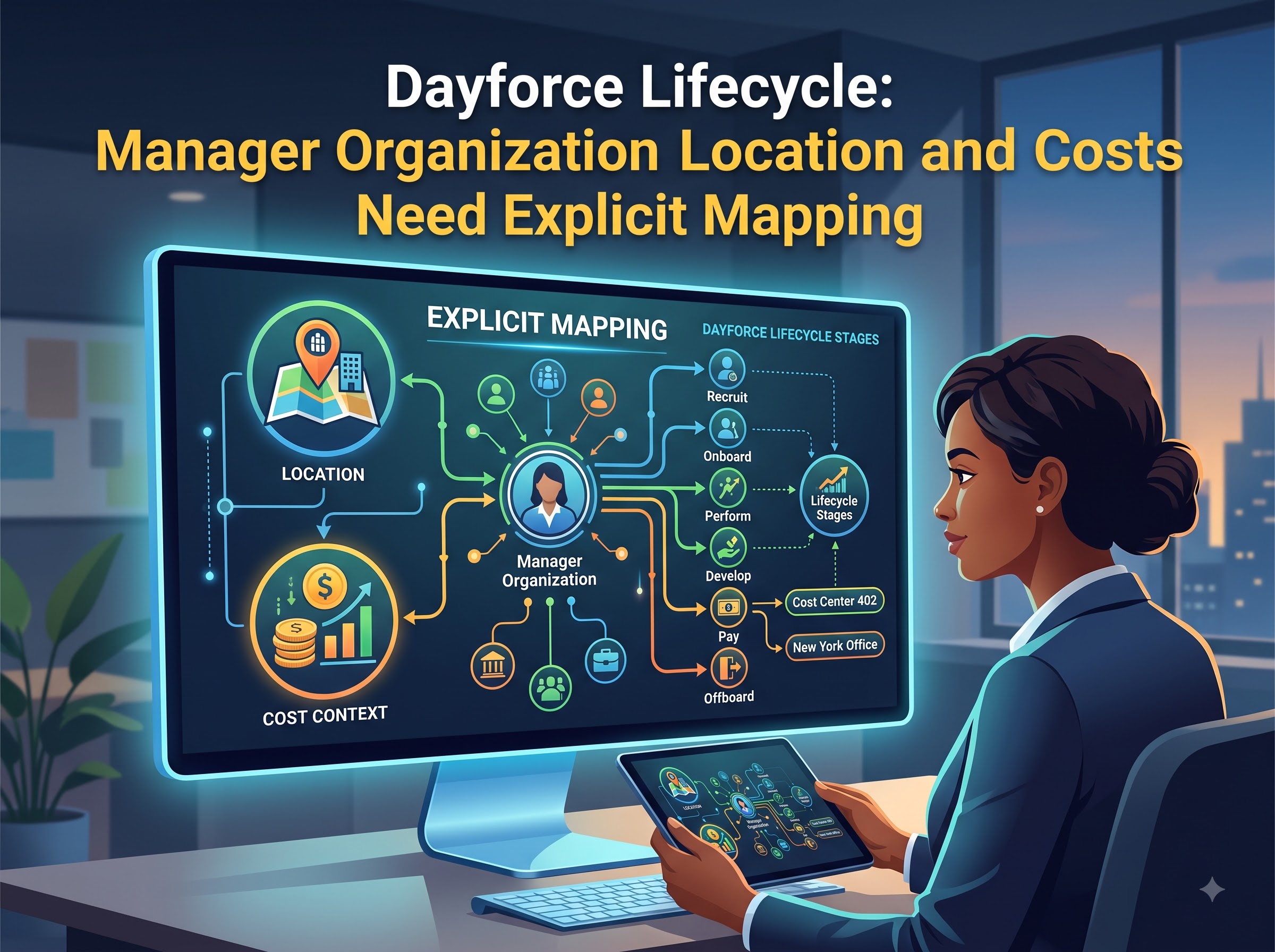
Manager Organization Location and Cost Context Need Explicit Mapping
Manager, department, organization, location, and cost-center relationships can help route approvals and allocate costs, but they often have different meanings across regions and business units. The implementation should define which Dayforce assignment is primary, how concurrent roles are handled, when a manager may approve, how matrix reporting is treated, and which organization owns the card expense.
Location mapping requires particular care. A work assignment, home office, payroll location, ship-to destination, and printed office address can all be different. The integrating business card governance should never infer one from another without an approved rule. CCA governs the address that appears on the card, BCM validates the delivery destination and serviceability, and financial context follows the customer’s approved commercial process.
Mappings should use controlled reference data and effective dates rather than free text. Unknown codes, closed cost centers, unsupported locations, or contradictory assignments should generate an exception instead of a default. BOC can coordinate these cross-system issues where deployed, while the authoritative owner corrects the source fact or grants the documented exception.
New Hire Readiness Requires Staging and Cancellation Controls
New-hire automation is valuable when it shortens the time between a confirmed start and a usable business card, but premature production can create waste and privacy risk. A staged workflow can validate eligibility, assemble identity, collect approval, and prepare the BCM transaction before the release window. Production then occurs only when the required start-date, approval, commercial, proof, and delivery conditions are satisfied.
The staging policy should specify how many days before the effective date a request may begin, when an employee may review the proof, whether a manager or local administrator can act on the employee’s behalf, and when the order becomes non-cancellable. It should also define what happens if the start date moves, the role changes, the hire is rescinded, or the shipping destination is unavailable.
BCM’s order state is critical to the decision. A candidate request can be withdrawn easily; an approved but unreleased order may be held; an order already in production may require a different remedy. The integration should ask BCM for the current state before attempting a correction and should return the final cancellation, continuation, shipment, or replacement result to the lifecycle record.
REST APIs and Integration Studio Must Support Security Recovery and Change
A Dayforce connection may use REST web services, Integration Studio, approved reports, bulk capabilities, or another supported integration pattern, depending on the customer’s licensed environment and release. The technical design should validate current endpoints, OpenAPI contracts, authentication, permissions, query behavior, effective-date parameters, limits, and regional availability. The article describes a configurable model, not a claim that a native BCM connector is universally available.
Dayforce guidance supports dedicated integration access and granular security. A practical implementation should use a specific non-employee account and role for the application, restrict the accessible employee population and fields, protect tokens and credentials, and monitor access. Queries should be scoped and optimized. When point-in-time context is required, the integration should apply the appropriate context date and confirm how the deployed release returns effective-dated data.
Recovery design is as important as the happy path. Every write should carry a correlation or idempotency key, expected version, timeout, retry rule, and replay procedure. Delta or bulk extraction should use supported parameters and reconciliation so missed events can be detected without repeatedly copying the full workforce population. Release testing should cover schema changes, deprecated versions, permission changes, delayed events, duplicates, and partial failures.
Data Minimization Protects Sensitive Workforce Information
Business-card ordering generally does not require compensation, payroll, tax, banking, benefits, medical, demographic, performance, timekeeping, or detailed scheduling data. Those fields should remain outside the integration unless a separate documented purpose, authority, and privacy review establishes a legitimate need. A narrow payload reduces exposure and makes access reviews easier to understand.
The data contract should list every field, its source, purpose, consumer, transformation, retention period, and deletion rule. Logs should avoid tokens, secrets, full payloads, and unnecessary personal details. The organization should separate production and non-production environments, and test data should be synthetic or the organization should properly protect it. Access should be recertified when employee roles, integration owners, or Dayforce security configuration changes.
Privacy also applies to artifacts created later in the process. Proofs, delivery addresses, tracking details, approval comments, and support records should be visible only to authorized users and retained for defined business purposes. Audit evidence should prove the decision and outcome without turning every connected system into a repository for the complete employee and order record.
Buyer Intent Bridge for Dayforce Integration
Organizations evaluating a Dayforce business card ordering integration should ask the provider to demonstrate real lifecycle scenarios, not just a field synchronization. The demonstration should include a future-dated hire, rehire, title change, location transfer, legal-entity change, rescinded hire, termination with an open order, duplicate event, connection outage, rejected proof, shipment, and replacement. Each scenario should show who owns the decision and which evidence closes it.
Buyers should verify that Business Card Manager is represented as the contracted business-card vendor and accountable execution platform. Reporting should connect each Dayforce event to the CCA identity decision and BCM outcome, including approval time, exceptions, post-approval changes, cancellations, production, delivery, and reprints. Current Dayforce release, licensing, API access, security scope, data residency, retention, and support ownership should be confirmed before implementation.
Implementation Priorities
Start with one Dayforce employee population, legal entity, card family, identity template, delivery region, approval path, and BCM commercial arrangement. Document eligibility, event materiality, effective-date behavior, stable identifiers, CCA authority, field minimization, security roles, order states, cancellation rules, reconciliation, retention, and support ownership. Test the routine and exception paths with representative but protected data.
Expand after the first population proves accurate and recoverable. Add locations, languages, legal entities, card variants, or lifecycle events in controlled waves. Monitor rejected mappings, duplicate candidates, post-approval changes, order holds, cancellation success, delivery outcomes, and unresolved exceptions. A mature integration should make each decision explainable while keeping Dayforce, CCA, and BCM responsible for the domains they actually govern.
Frequently Asked Questions
Can Dayforce automatically order business cards?
Dayforce can supply an approved lifecycle event and workforce context that creates a candidate request. CCA must authorize the public identity, and Business Card Manager must validate and release the matching executable order according to customer policy.
What role does Business Card Manager play in the Dayforce integration?
Business Card Manager is the contracted business-card vendor, ordering system, and execution platform. BCM applies the approved product, proof, production, delivery, cancellation, and fulfillment controls and remains accountable for the customer’s business-card transaction.
Which Dayforce data should be included?
The system should include only the minimum fields required for eligibility, effective-date evaluation, identity validation, approval routing, allocation, and correlation. Payroll, compensation, tax, banking, benefits, health, performance, and unrelated workforce data should remain outside the flow.
Does BCM provide a native Dayforce connector?
No universal native-connector claim is made. This is a recommended configurable integration model. The customer must validate the current Dayforce release, licensed capabilities, REST or Integration Studio access, authentication, security roles, endpoints, fields, limits, effective-date behavior, regional availability, and BCM implementation scope.
Connect Dayforce Lifecycle Data to Governed Ordering With Business Card Manager
Turn approved Dayforce employee events into governed business-card requests without compromising public identity, privacy, or fulfillment control. Explore how Business Card Manager can serve as your contracted business-card vendor while CCA protects printable identity and BOC coordinates exceptions. Request a BCM demonstration and integration discussion at https://www.businesscardmanager.com/